

Got a brilliant app idea buzzing around in your head? That’s awesome! But before you start dreaming up code, you need a clear picture of what your app will actually look like and how people will use it. Think of it like a blueprint for your building. That’s where a mobile app mockup comes in. It’s a visual plan, a way to see your idea before it’s built. Tools like Visily can make creating this mobile app mockup super simple, even if you’re not a design pro. Let’s walk through how to get your app idea visualized.
So, you’ve got this brilliant idea for a mobile app. It’s going to change the world, or at least make someone’s day a little easier. But how do you actually show someone what this amazing idea looks like before you spend a ton of time and money building it? That’s where a mobile app mockup comes into play. Think of it as a visual blueprint, a way to bring your concept to life on a screen.
An app mockup is essentially a static, high-fidelity visual representation of your app. It’s not a working app you can tap around on, but it looks like one. It shows the actual design elements – the colors, the buttons, the text, the images – all laid out as they would appear in the final product. It’s a step beyond a basic wireframe, which is more like a structural sketch. A mockup gives you a realistic preview of the app’s user interface (UI), showing how everything will look and feel. It’s like seeing a detailed architectural rendering of a house, not just the floor plan.
This is where mockups really shine. They bridge that tricky gap between an abstract idea and a tangible product. By presenting a realistic visual of the app, mockups allow everyone involved – from designers and developers to potential investors or clients – to see exactly what the end result will be. It helps everyone get on the same page about the app’s look and feel. Instead of just talking about features, you can point to them on a screen. This clarity is super helpful for making sure everyone has the same vision.
Sometimes, explaining an app idea can be tough. You might describe a button, but what if the client pictured it as a giant, flashing sign? A mockup removes that ambiguity. It provides a concrete visual that everyone can react to. This makes the whole process of getting feedback and approvals much smoother. You can easily show how different screens connect and how a user might move through the app. It’s like test-driving a car versus just reading its specifications; the visual experience is far more convincing and helps to build confidence in the design.
Here’s a quick breakdown of what a mockup helps you achieve:
Creating a mockup is a vital step in the app development process. It acts as a visual anchor, grounding your ideas in a concrete form that can be easily shared, discussed, and refined. This upfront visualization saves a lot of headaches down the line.
Making these visuals doesn’t have to be complicated. Tools are available that make it pretty straightforward to translate your app concept into a compelling mockup.
Creating a mockup is like drawing a map before you head out on a trip. It helps you figure out all the different parts of your app and how they’ll connect. You can decide exactly where buttons should go, how images will look, and where text fits best. It also lets you plan how someone will move from one screen to another. Getting this sorted early can save a lot of headaches later on.
A mockup shows everyone involved what the app will actually look like and how it will work. It’s not just a basic sketch; it’s a detailed visual that makes the idea feel real. This clarity helps get everyone on the same page, whether you’re talking to designers, developers, or potential investors. It makes it much easier for people to give the go-ahead because they can clearly see the end result.
Having a clear visual representation means fewer misunderstandings. People can point to specific parts of the mockup and say, “This needs to change,” or “This looks great.” It makes the whole approval process smoother and more productive.
One of the best things about mockups is how simple they are to change. If you decide a button would look better somewhere else, or if you want to try a different color scheme for a screen, you can do it with just a few clicks. This flexibility means you can experiment with different ideas without wasting time or money on coding. It’s much easier to tweak a design in a mockup than to rewrite code later.
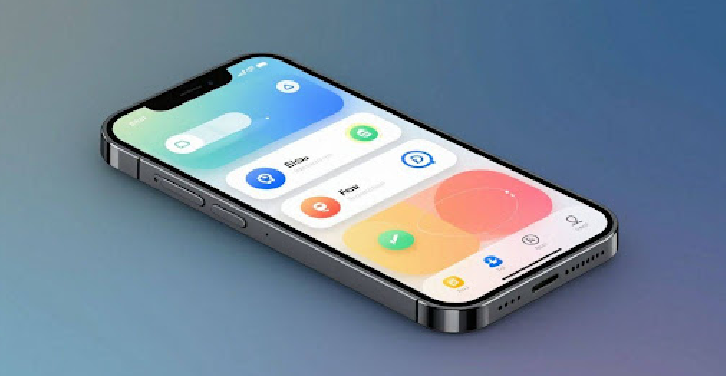
So, you’ve got this brilliant app idea, and you’re ready to show it off. But how do you actually make it look real before you spend a fortune on development? That’s where mockup software comes in. Picking the right tool can feel a bit overwhelming with so many options out there, but it really boils down to what you need and what you’re comfortable with. The goal is to find something that lets you translate your vision into a visual that others can easily understand.
When you start looking around, you’ll notice two main camps of software: free and proprietary (meaning you usually pay for them). Free tools are fantastic for getting started, especially if you’re on a tight budget or just experimenting. They often have a good set of basic features that are more than enough for simple mockups. Think of them as the starter kits of the design world.
Proprietary tools, on the other hand, often come with more advanced features, a wider range of templates, and sometimes better support. They might have a steeper learning curve or a recurring cost, but they can save you time and offer more polished results, especially for complex projects. It’s a trade-off between cost and capability.
Here’s a quick look at what you might find:
The choice between free and paid often depends on the scale of your project and your long-term design needs. Don’t be afraid to try out a few free options first to see what clicks.
Visily is making waves because it uses AI to speed up the design process. Imagine uploading a screenshot of an app you like, and Visily helps you create something similar, or even turns your rough sketches into polished designs. This can be a huge time-saver, especially if you’re not a seasoned designer. It’s designed to be intuitive, meaning you don’t need to spend weeks learning how to use it. The AI assists with things like generating layouts and suggesting design elements, which can really help bridge that gap between having an idea and seeing it visually represented.
Figma has become a go-to for many designers, and for good reason. It’s a powerful, web-based design tool that’s incredibly versatile. You can use it for everything from simple wireframes to complex, interactive prototypes. One of its biggest strengths is its collaborative nature; multiple people can work on the same design file at the same time, which is super handy for team projects. While it has a learning curve, especially for advanced features, its vast community means there are tons of tutorials and resources available. It’s a robust option if you’re looking for a professional-grade tool that can grow with your project.
So, you’ve got this brilliant app idea buzzing around in your head, right? That’s awesome! But turning that idea into something real, something people can actually see and use, starts with a solid plan. And that’s exactly where Visily comes into play. It’s a pretty neat tool that uses AI to help you build out what your app will look like before you even think about writing a single line of code. It makes the whole design process feel a lot less daunting.
If you’re feeling artistic, you can totally start from scratch. Visily gives you a blank slate, kind of like an empty canvas for a painter. But don’t worry, it’s not completely empty. They have this thing called a UI Library, which is basically a big box of digital building blocks – buttons, menus, input fields, all that stuff. You just grab what you need and drag it onto your canvas. It’s a straightforward way to start piecing together your app’s look and feel, screen by screen.
Not everyone wants to start from zero, and that’s perfectly fine. Visily has a bunch of ready-made templates for different kinds of apps. Think of them as starting points. You can pick one that’s close to what you’re imagining and then tweak it to make it your own. This can seriously speed things up, especially if you’re just trying to get a feel for the design or if you’re on a tight schedule. It’s a good way to see common layouts and elements used in apps.
This is where Visily gets really clever. Have you seen an app out there that you just love the look of? You can take a screenshot of it, upload it to Visily, and its AI will actually turn that image into an editable mockup. It’s like having a design assistant that can quickly replicate styles you admire. This feature is a game-changer for getting inspiration and quickly setting up a design direction. You can then modify it to fit your unique app idea, saving you tons of time on initial setup and element placement.
Here’s a quick look at how you can start:
Visily’s approach to mockup creation is designed to be flexible. Whether you prefer building from the ground up, adapting existing designs, or using visual inspiration, the tool offers a path forward. This adaptability means you can focus more on your app’s core idea and less on the technicalities of design software.
So, you’ve got a pretty good-looking app mockup. It shows what your app will look like, which is great. But what if you could make it do things? That’s where interactivity comes in. Turning your static design into something users can actually click through is a game-changer.
Think of a mockup as a blueprint, and a prototype as a model you can actually interact with. You’re not just showing screens anymore; you’re showing how users will move between them. This means linking buttons to their correct destinations, showing how forms will be filled out, and demonstrating transitions between different states of your app. It’s about making the user’s journey clear.
Once your mockup is interactive, you can start testing it. This isn’t about finding bugs in code – there’s no code yet! It’s about finding problems with how people use your app. Does a button make sense where it is? Is it obvious how to get to the next step? An interactive prototype lets you answer these questions before you even start building.
Testing the user experience early on is like proofreading an essay before you hand it in. You catch awkward sentences and confusing parts that you might miss if you just read it once. It saves a lot of embarrassment and rework later.
This is where the magic really happens. When you can show someone an interactive version of your app idea, they can give much more specific and helpful feedback. Instead of saying, “I’m not sure I get it,” they can say, “When I tap this button, I expect to see X, but Y happens instead.” This kind of feedback is gold. It helps you refine your design and make sure you’re building something people will actually want to use. It’s way better than just looking at flat images.
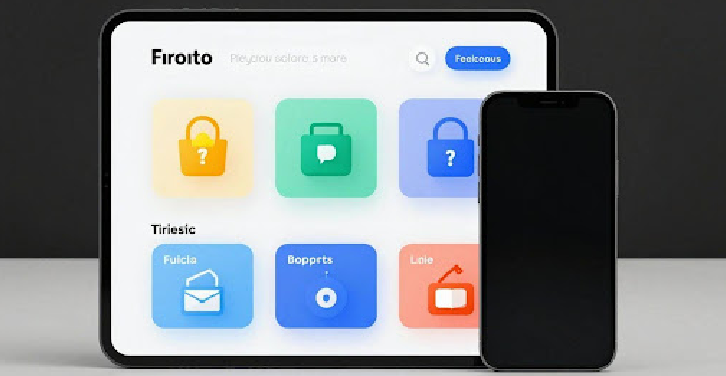
Once you’re happy with how your app mockup looks in Visily, you’ll probably want to move it somewhere else for more detailed work or to hand it off to a developer. A popular place for this is Figma. Visily makes it pretty simple to get your design out of its system and into Figma. You can usually export your mockup as a standard image file, like a PNG or JPG, which you can then import directly into your Figma project. This way, you’re not starting from scratch in Figma; you’ve got your Visily design as a solid base to build upon.
Getting your team on the same page is super important, right? Sharing your mockup is key to making sure everyone understands the vision. Visily lets you share your designs easily. You can generate a link that anyone can click to view your mockup, no special software needed. This is great for quick reviews or when you just need to show someone what you’ve been working on. It cuts down on a lot of back-and-forth emails trying to describe what you’ve made.
This is where the rubber meets the road, so to speak. You’ve got your mockup looking sharp, and now it’s time for the developers to actually build the app. A good mockup makes this process much smoother. By exporting your design with clear specifications, or even linking directly to a more interactive prototype, you give developers all the information they need. This includes things like:
Providing these details upfront helps developers build the app exactly as you designed it, reducing misunderstandings and the need for constant clarification. It’s like giving them a detailed blueprint instead of just a rough sketch.
This clear communication means fewer mistakes, less time spent fixing things, and ultimately, a faster path to launching your app. It’s all about making sure the final product matches the vision you worked so hard to create.
So, you’ve got this awesome app idea buzzing around in your head. Don’t just let it stay there! Creating a mockup is like giving your idea a physical form, a blueprint that shows everyone exactly what you’re envisioning. Tools like Visily make this whole process way less intimidating, even if you’re not a design whiz. You can play around, tweak things, and get a real feel for your app before you even think about writing a single line of code. It saves time, avoids headaches down the road, and honestly, it’s pretty satisfying to see your concept start to take shape. So go ahead, give it a try. Your future app will thank you.
Think of an app mockup as a picture or a drawing of your app before it’s actually built. It shows what the app will look like, including all the buttons, pictures, and text. It’s like a blueprint that helps everyone see the final design.
Making a mockup is super helpful! It’s like planning a trip before you go. It helps you figure out where everything should go on each screen, how users will move between screens, and what the app will look like. This makes it easier to plan and avoid problems later on.
Yes! Some mockup tools let you make your mockup interactive. This means you can click on buttons and move between screens, just like a real app. It’s a great way to test if your app is easy to use and if the flow makes sense before anyone writes any code.
A wireframe is like the basic structure or skeleton of your app, showing where things go. A mockup is more detailed; it adds colors, fonts, and actual images to show what the app will look like in the end. It’s a step closer to the final product.
Absolutely! There are many tools available, some free and some you pay for. Tools like Visily offer free options and even use AI to help you design faster. Figma is another popular choice that many designers use.
AI can make creating mockups much easier and quicker. For example, some tools can take a screenshot of an app you like and turn it into a starting point for your own design. AI can also help suggest layouts or elements, saving you time and effort.